For contractors in every trade

Every job, from estimate to final report. One app.

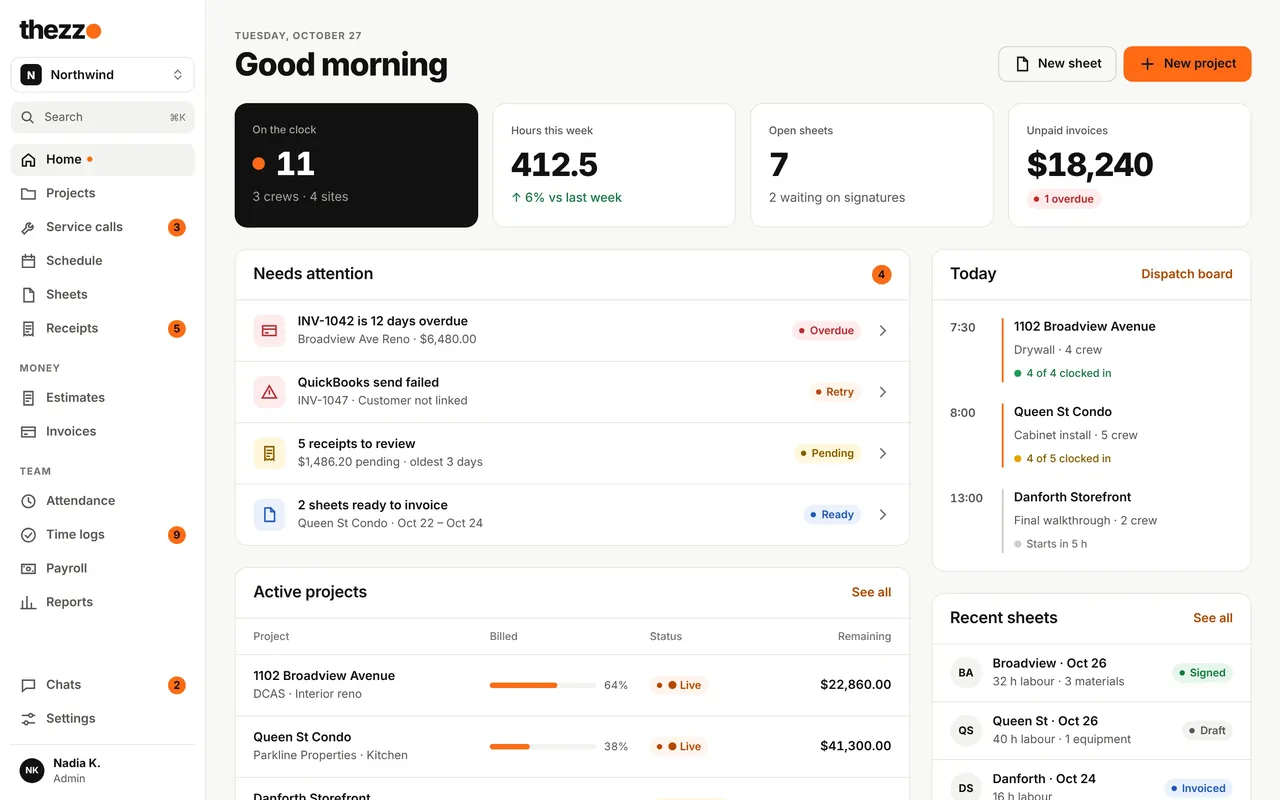
thezzo keeps each job in one place: the estimate, the schedule, hours, receipts, invoices and the report your client gets at the end. On your own or with a crew.

  • Free for one person
  • Teams get 3 months free
  • Web, iPad and phone
  • Syncs with QuickBooks
  • Works offline in the field
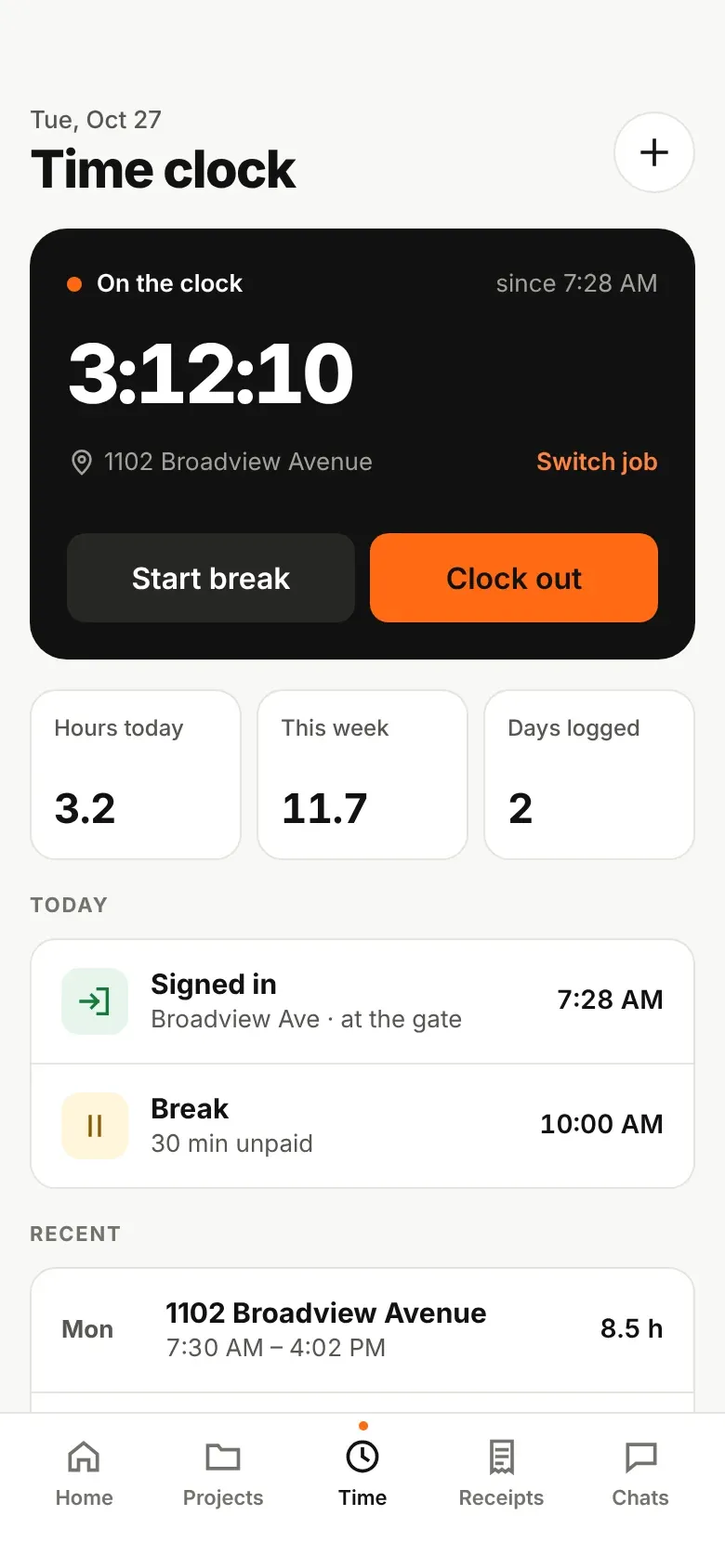
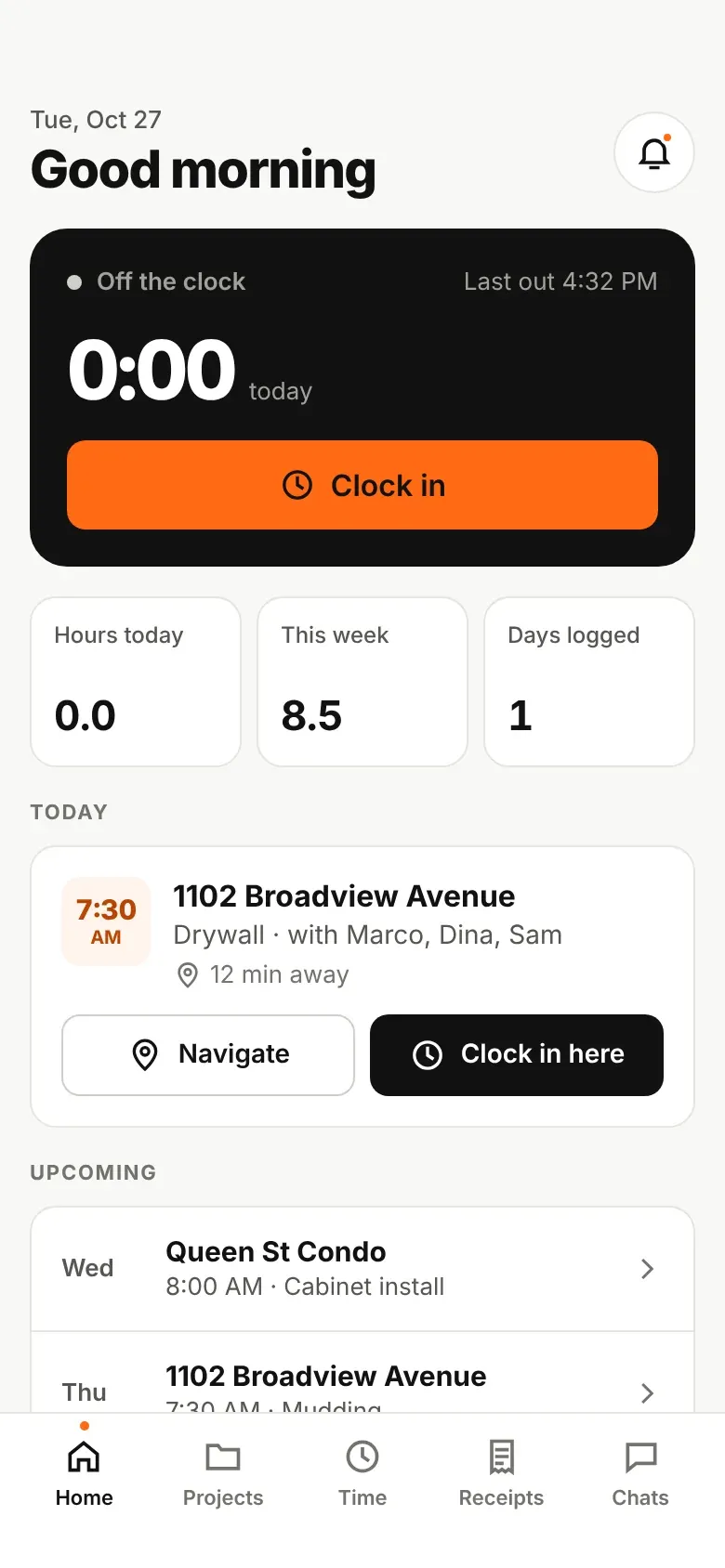
thezzo home screen: crews on the clock, open sheets, unpaid invoices and today's visits thezzo time clock on a phone, on the clock at 1102 Broadview Avenue

Just you or a full crew: if you do the work on site and bill for it, thezzo is built for you.

Works for one person or a whole company

Start on your own and add people when you're ready. Everyone sees only what their role needs, and crews never see money unless you say so.

On your own

Estimate, schedule and invoice from your phone, and keep every receipt with its job. Finish with a report your client can keep.

The office

Estimates, invoices, payments and payroll hours in one place, synced to QuickBooks. See what's overdue and what's ready to bill as soon as you open it.

Project managers

Book crews, approve time and sheets, and write estimates from the truck or the desk. iPad and phone layouts are made for the site.

Field crews

Clock in, see today's job, snap receipts and chat with the team. No signal on site? It saves on the phone and syncs later.
What thezzo does

Schedule and dispatch

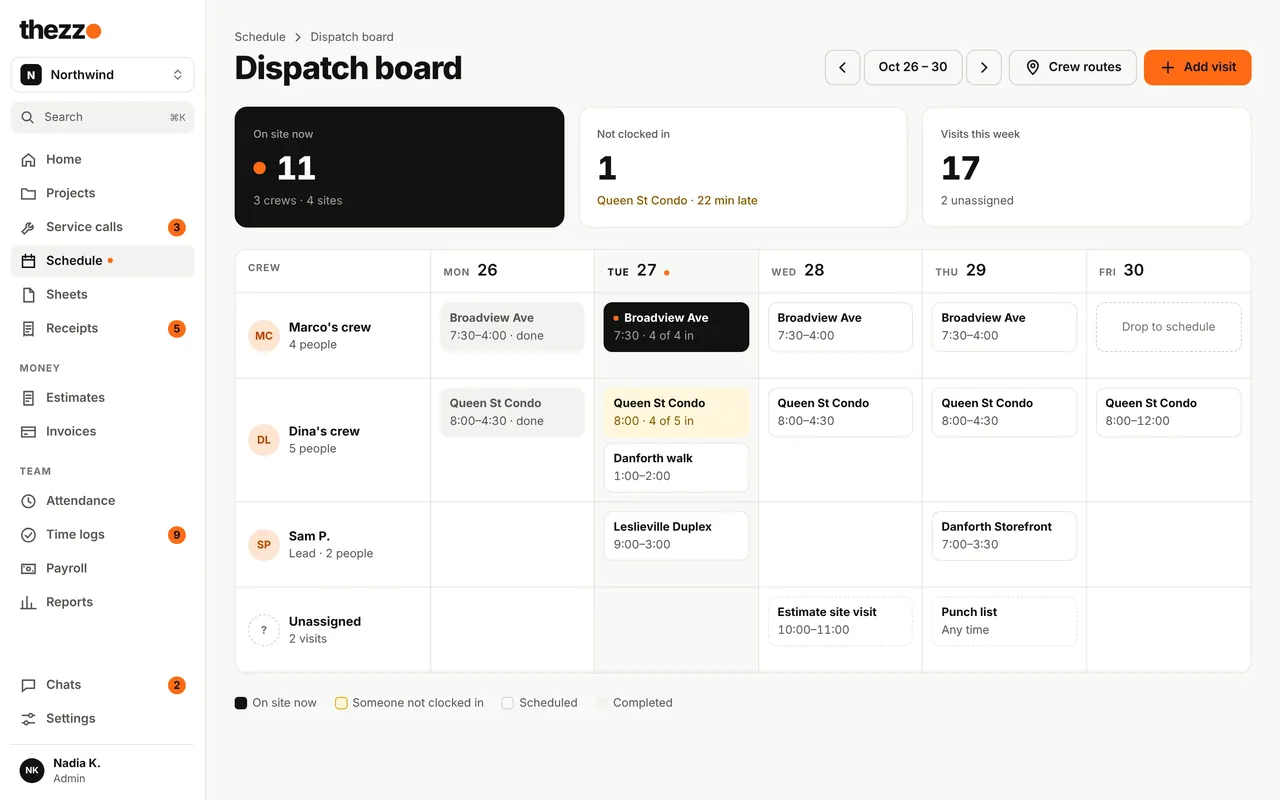
See who's where before anyone calls

  • Drag visits onto crews for the week
  • See who's on site, who's late and what's unassigned
  • Crews get their schedule and site notes on their phone
Dispatch board with crews by day and who is on site now
Time and daily sheets

Hours and T&M sheets that add up

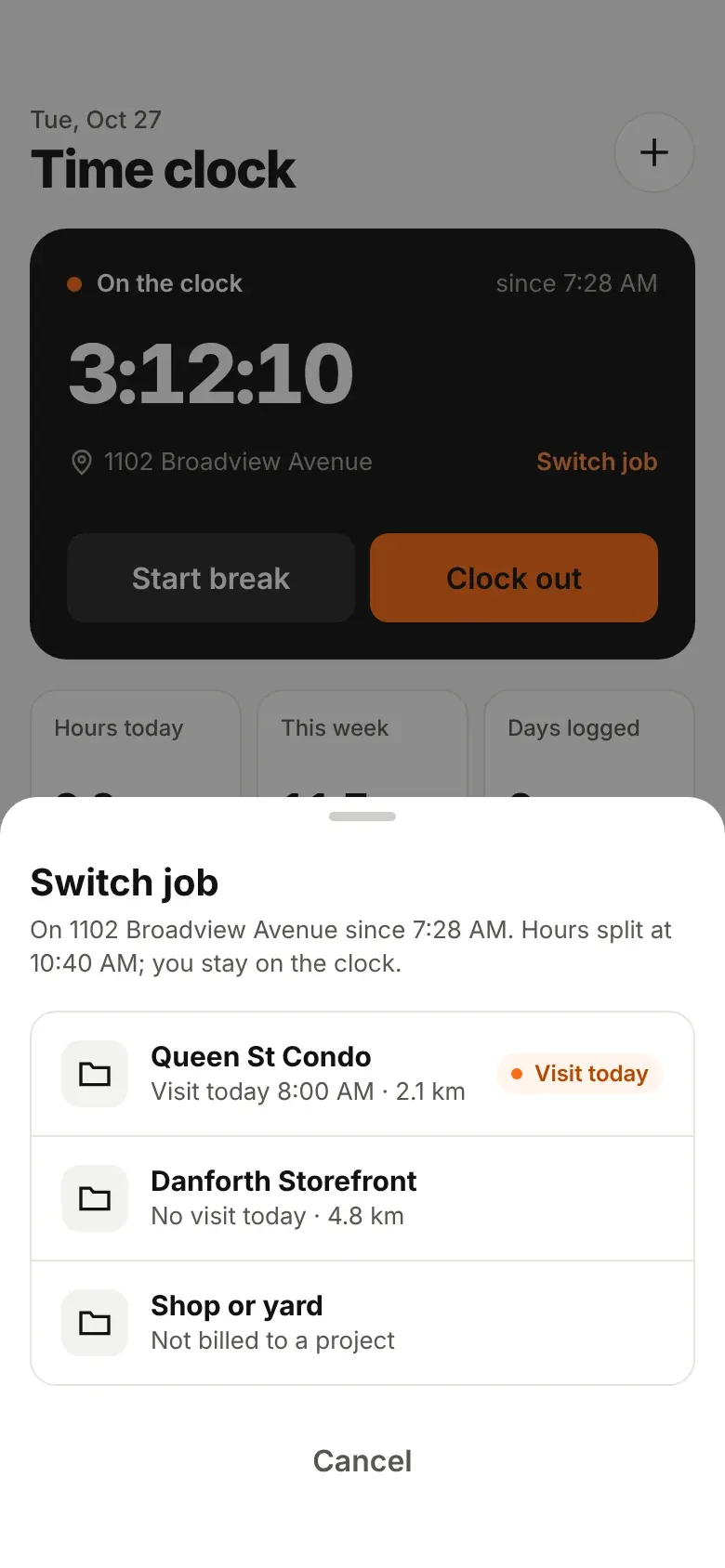
  • Clock in to the right job, and switch jobs without clocking out
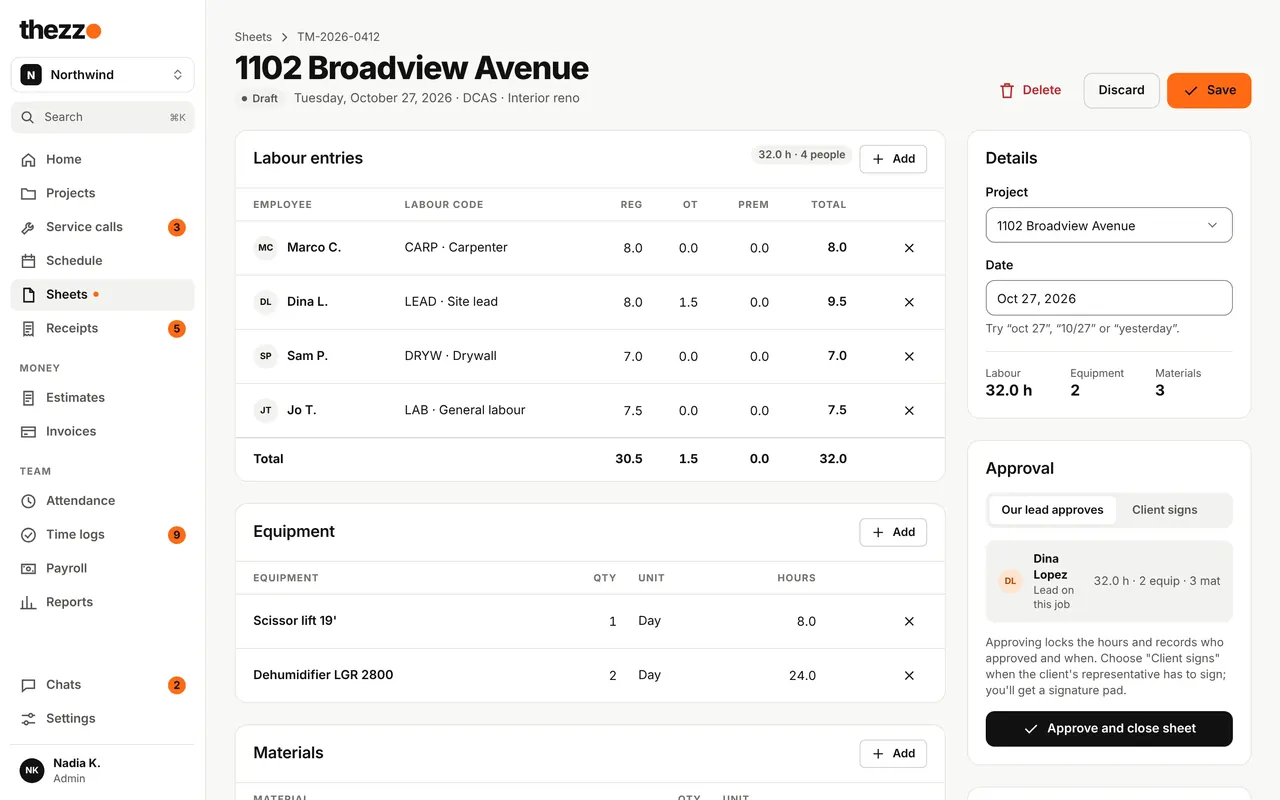
  • Labour, equipment and materials on one daily sheet
  • No signal? It saves on the phone and syncs later
  • The lead closes the sheet with Approve; the client's rep can sign
Daily sheet editor with labour, equipment and materials Switching jobs on the phone without clocking out
Receipts

Snap it, file it, never pay it twice

  • Photograph receipts from the truck, filed to the project
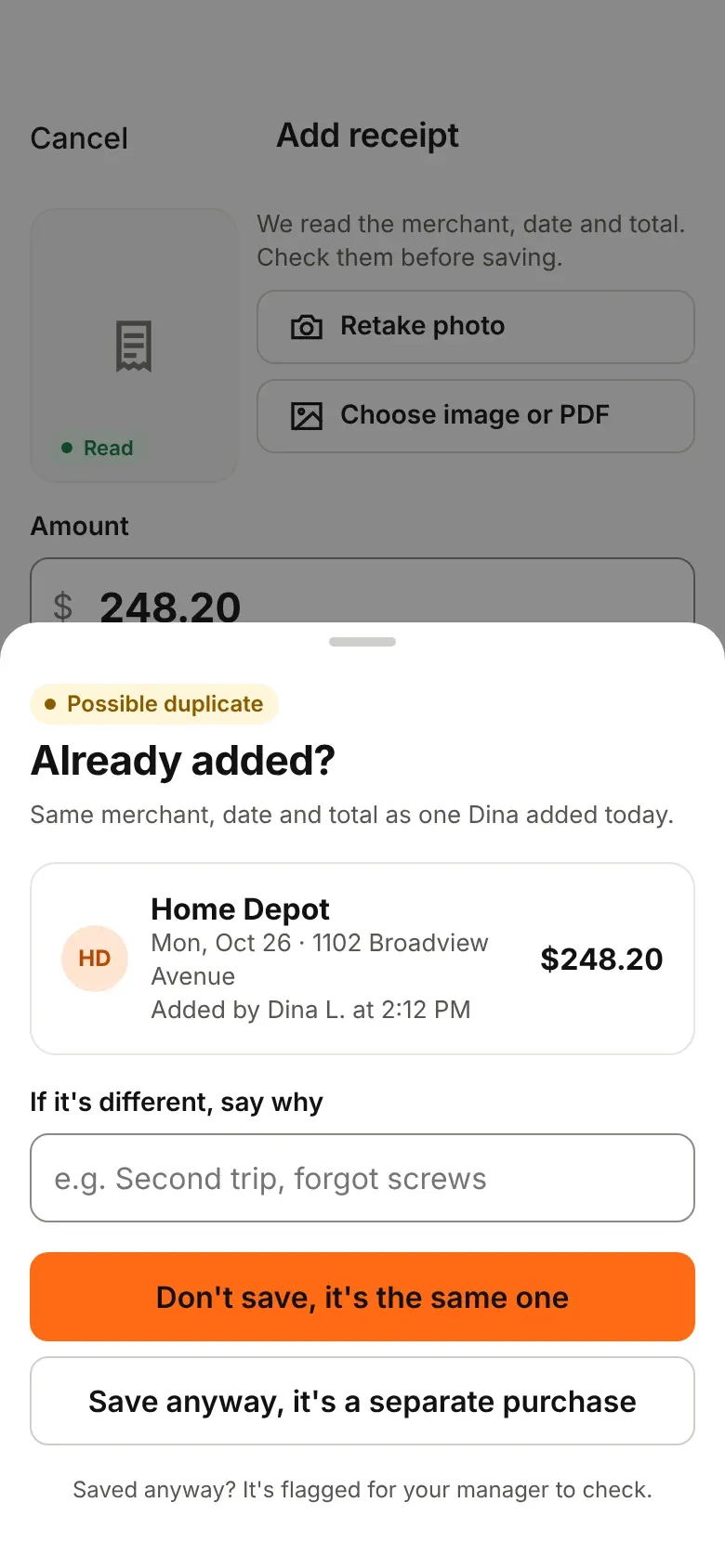
  • Flags a possible duplicate before it's saved
  • Approved receipts are paid back with the next pay period
Receipt duplicate warning on the phone Field worker home screen on the phone
Estimates and invoices

From estimate to paid, without retyping

  • Clients approve and sign estimates online
  • A deposit invoice goes out when they approve
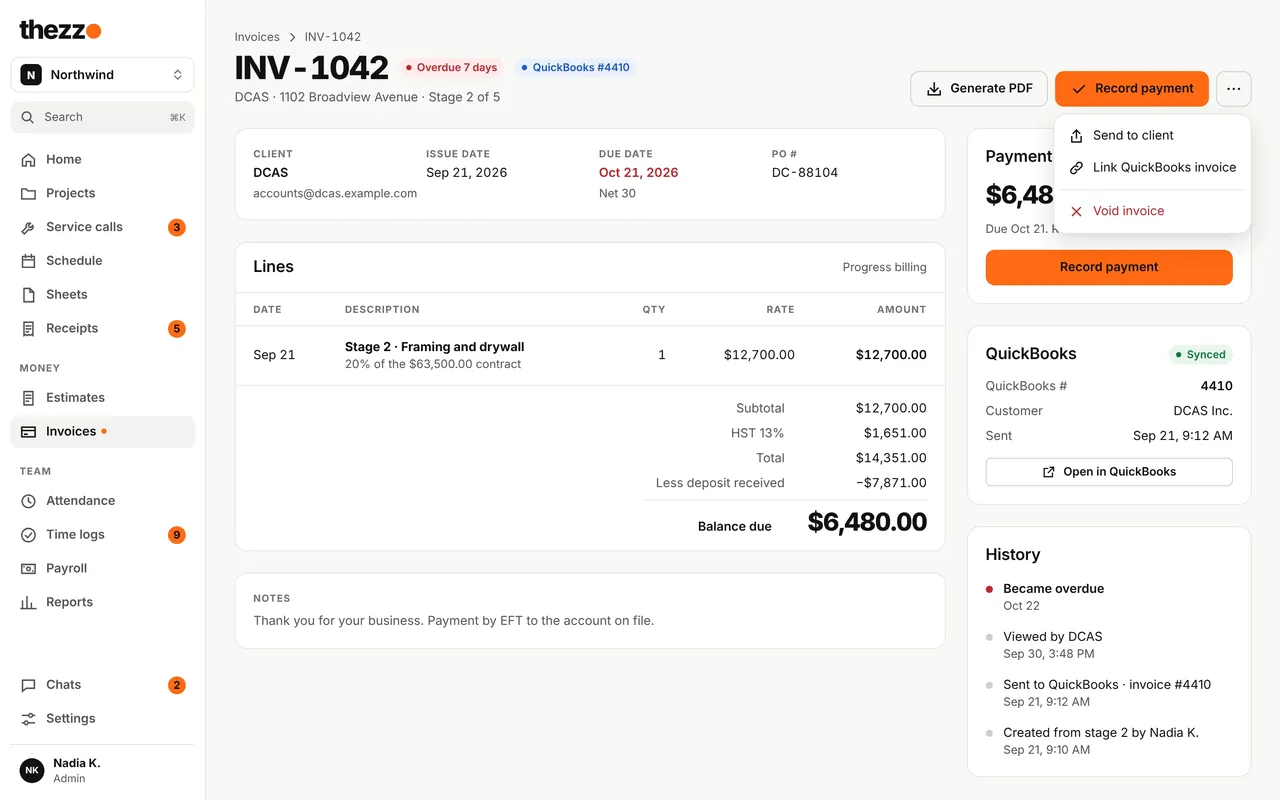
  • Progress billing by stage, with change orders
  • Automatic reminders and sync with QuickBooks
Invoice with progress billing stages and payments
Final report

Finish every job with a report your client keeps

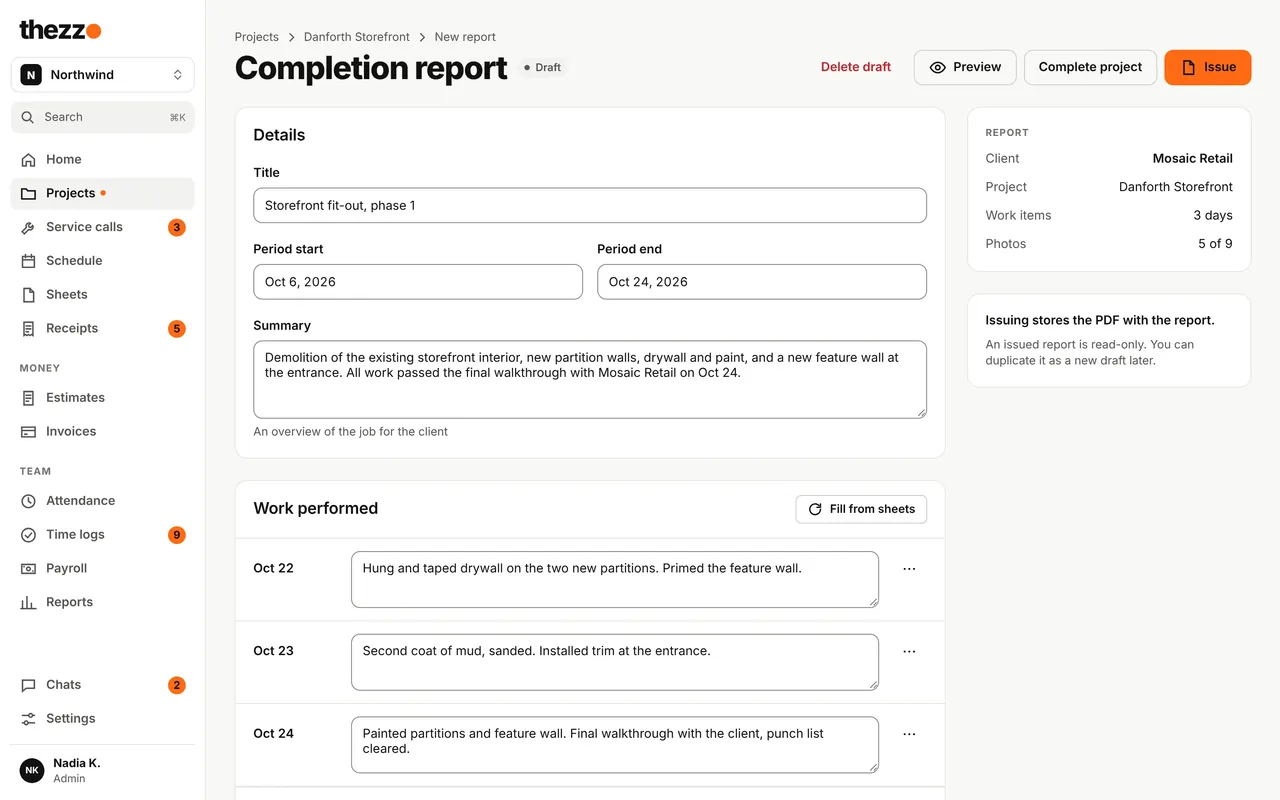
  • Fill in the work performed from your daily sheets in one tap
  • Add before, during and after photos from the job
  • Issue it as a PDF, kept with the project for good
Completion report with summary and work performed by day
Service callsNew

Quick jobs, handled properly

Not every job is a project. A leak check or an emergency call-out gets its own fast lane, and becomes a project when it turns out bigger.
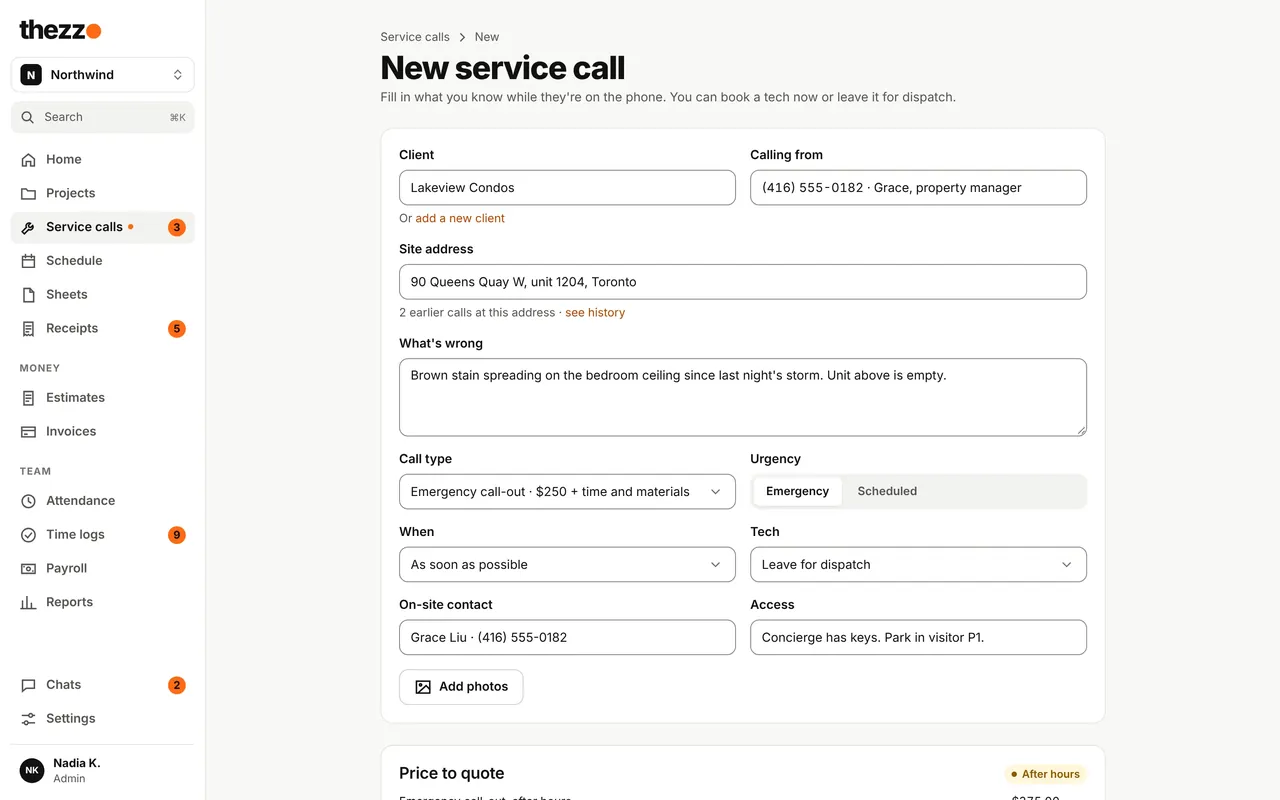
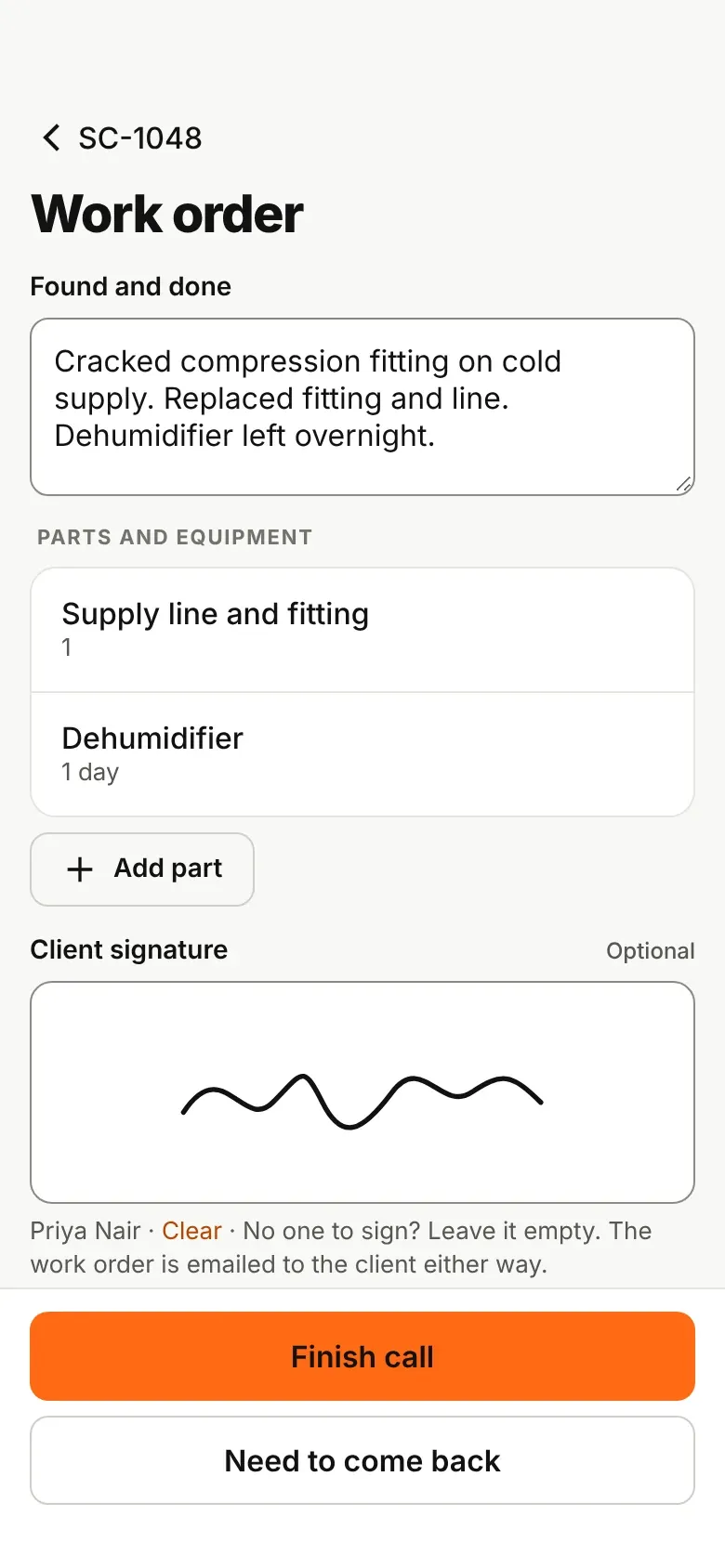
  • Take the call in under a minute and quote the right price, after hours too
  • The tech fills one work order on the phone; the signature is optional
  • Invoice in one step, from the call type, the clock and the parts
New service call intake with the price to quote Work order on the phone with optional client signature
AI assistants

Ask Claude or ChatGPT about your jobs

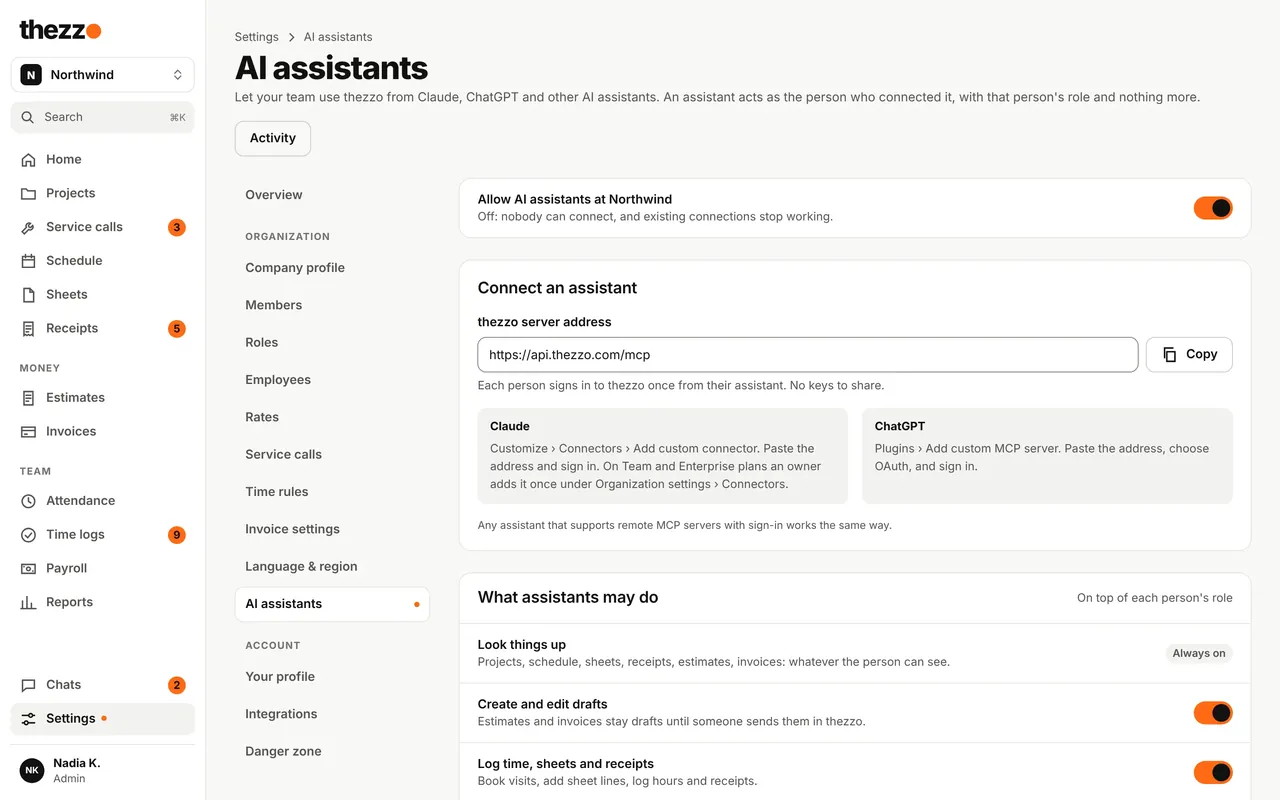
Connect your assistant to thezzo and just ask. It works as you, with your access and nothing more.
  • Which invoices are overdue, and by how much?
  • Book Jo at Queen St on Thursday at 8.
  • Draft an estimate for Lena from last week's site notes.
AI assistant settings: what assistants may do and who is connected
Your role, nothing more
If you can't see payroll, neither can your assistant.
You choose what it may do
Sending to clients and recording payments start off.
Never deletes anything
No deleting, and no changes to members, roles or settings.
Every action logged
See who asked, which assistant and what it did.

And everything else the job needs

Payroll hours
Close the pay period and export hours, overtime and receipts as a CSV.
Reports
Hours, billings and labour cost by project, crew and period.
Project chat
Photos and questions stay with the job, not in someone's texts.
Roles and permissions
Start with Admin, Project manager and Field worker, then make your own.
Excel import
Bring in old sheets by matching your columns once. thezzo remembers them.
Quiet notifications
Everyone picks push or email per topic, and quiet hours hold pushes until morning.
Pricing

Every feature in every plan

Free while it's just you. When you add people, the price grows with your team, not with features.

Solo

For one person running their own jobs

$0free, for good

  • Estimates, scheduling and invoices
  • Receipts and photos kept with each job
  • Final reports for your clients
  • Web, iPad and phone, synced with QuickBooks
Start free

Team

3 months free

For an office, a crew, or both

$99USD a month for up to 5 people

Then $20 USD a month for each extra person

  • Everything in Solo
  • Crew scheduling, time clock and daily sheets
  • Roles, so crews never see money
  • Payroll hours, reports and team chat
Start 3 months free

Same price per person however big your team gets. Need annual billing or invoicing? Contact us.

Questions

Does it work without signal?

Yes. The time clock and daily sheets save on the phone and sync when it's back online. If two people changed the same sheet, thezzo merges what matches and asks about the rest.

Does it work with QuickBooks?

Yes. Customers and invoices sync to QuickBooks, so the office doesn't type them in twice.

Can my crews see prices or pay rates?

No. Field workers never see money: no budgets, rates or invoice amounts, in the app, in emails, in notifications or through AI assistants.

What does it run on?

Any web browser, iPad and phone. It's one app, so the office and the field always see the same jobs.

Where is thezzo available?

thezzo launches in Canada, in English. [Other regions and languages: timing to come.]

Run your next job on thezzo

Create your company, add your first job and you're working. Free for one person, and teams get 3 months free.